Guitar Tap
Tap-tone analysis for luthiers
Guitar Tap captures the sound of a tap on a guitar, tonewood plate, or brace, runs a high-resolution FFT, and reveals the resonant peaks and material properties that matter to luthiers. Use the results to guide your bracing, mass distribution, and plate thickness — methods drawn from Contemporary Acoustic Guitar Design and Build by Trevor Gore and Gerard Gilet.
Three ways to use Guitar Tap
Guitar Tap for iPhone, iPad & Mac
The polished native app — real-time spectrum, automatic tap capture, guitar / plate / brace measurement modes, saved measurements, comparison overlays, and PDF reports. One purchase works on all your Apple devices.
$14.99 — iPhone, iPad, and Mac (single purchase) · open source


Guitar Tap in your browser
The same analysis engine in any modern browser — nothing to buy, nothing to install. Capture a tap, watch the live spectrum, measure guitars, plates, and braces, and keep your measurement library saved locally. Works in Chrome, Safari, and Edge on desktop and mobile, and installs as an app for a standalone window and durable storage (see below).
Free — runs in your browser · open source
Open the web app Source on GitHubGuitar Tap for Windows, macOS & Linux
The same analysis engine as a desktop app for Windows, macOS, and Linux. Install a prebuilt release or build it yourself from source — and contribute on GitHub. Its quick-start guide is built in (Help → Quick Start Guide) and posted as a PDF with each release; the shared User Manual below applies to every edition.
Free — Windows, macOS, and Linux · open source
Download releases Source on GitHubInstall the browser app (optional)
The web app runs fine in a browser tab, but installing it as a Progressive Web App gives it an app icon, a standalone window, and durable local storage for your saved measurements.
- Chrome (desktop): click Install at the right end of the address bar, or open the menu (⋮) and choose Cast, Save, and Share → Install Guitar Tap…. Don't see either? It's already installed — open chrome://apps to manage it.
- Edge (desktop): open the Settings and more menu (top-right ···), then choose Apps → Install this site as an app.
- Chrome (Android): open the menu (⋮) and choose Add to Home screen / Install app.
- Safari (iPhone / iPad): tap Share, then Add to Home Screen.
- Safari (Mac, macOS Sonoma or later): choose File → Add to Dock.
Once installed, Guitar Tap runs as a standalone app — its own icon and window. Launch it like any other app, not from a browser tab:
- Mac (Chrome / Edge): Spotlight (⌘-Space, type "Guitar Tap"), Launchpad, or the Chrome Apps folder in Applications — it's also listed at chrome://apps (edge://apps for Edge).
- Windows (Chrome / Edge): the Start menu (type "Guitar Tap"), plus any desktop or taskbar shortcut you added — also at chrome://apps.
- Linux (Chrome): your applications menu / launcher — also at chrome://apps.
- Android: the home-screen icon or the app drawer.
- iPhone / iPad: the home-screen icon.
- Safari (Mac): the Dock, or Launchpad / Applications.
Installing also keeps your saved-measurement library from being cleared by the browser — Safari deletes a site's stored data after about a week without a visit (on both macOS and iOS). Use Export All in Saved Measurements to keep a portable backup.
What it measures
Guitar mode
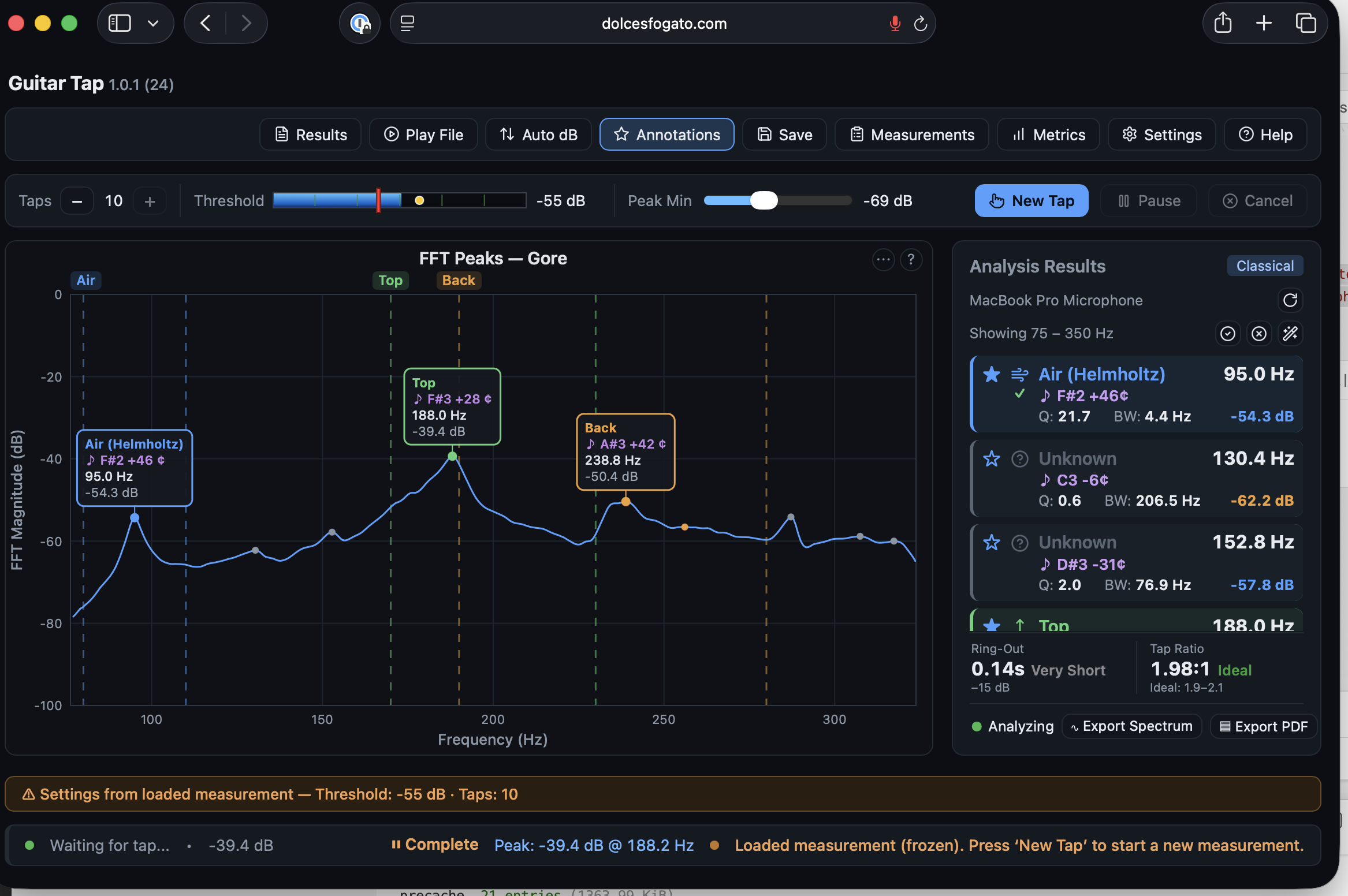
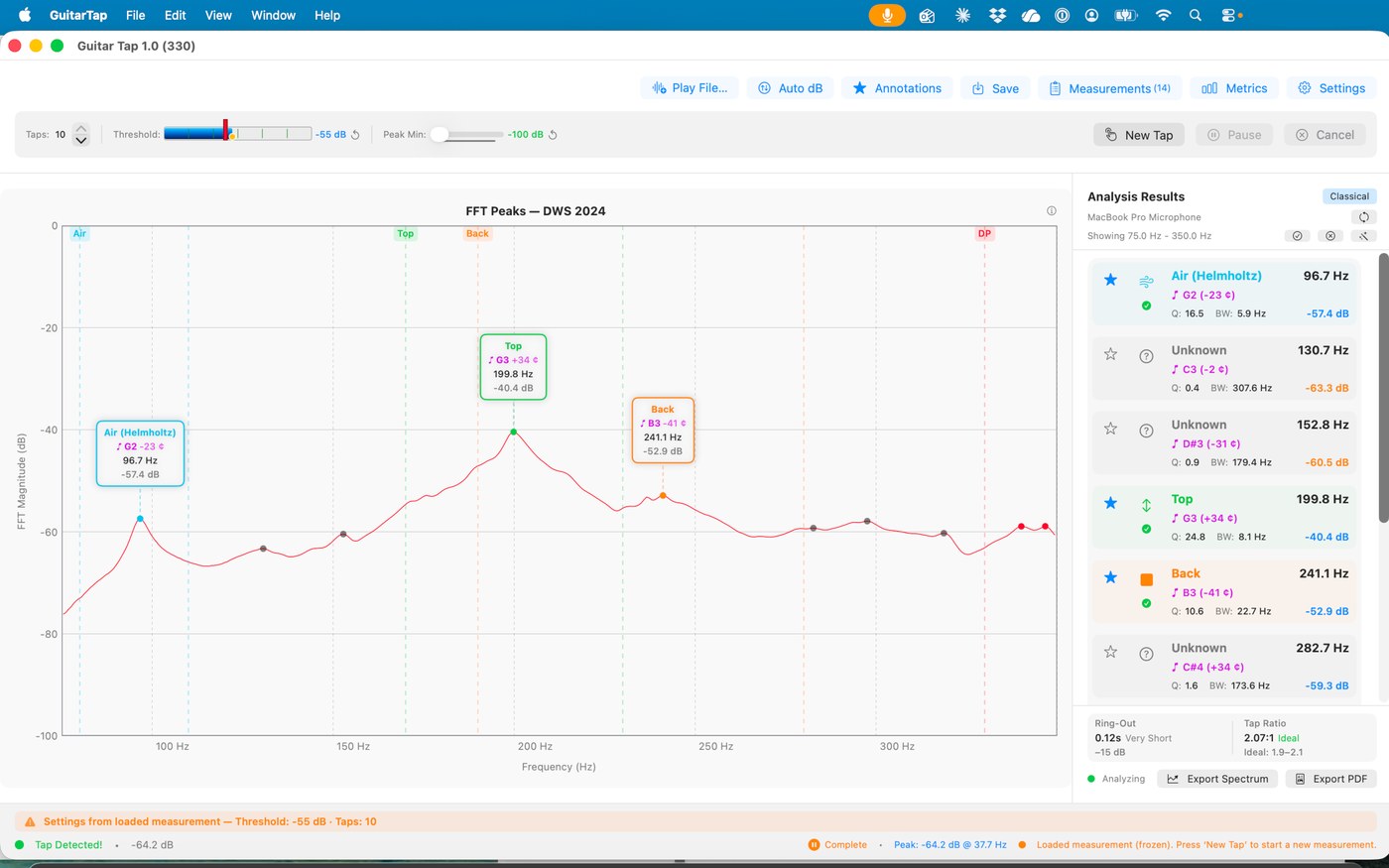
Identify the key body resonances — Air (Helmholtz), Top, Back, and more — each labeled with frequency, pitch, and Q factor, plus the tap-tone ratio.
Plate mode
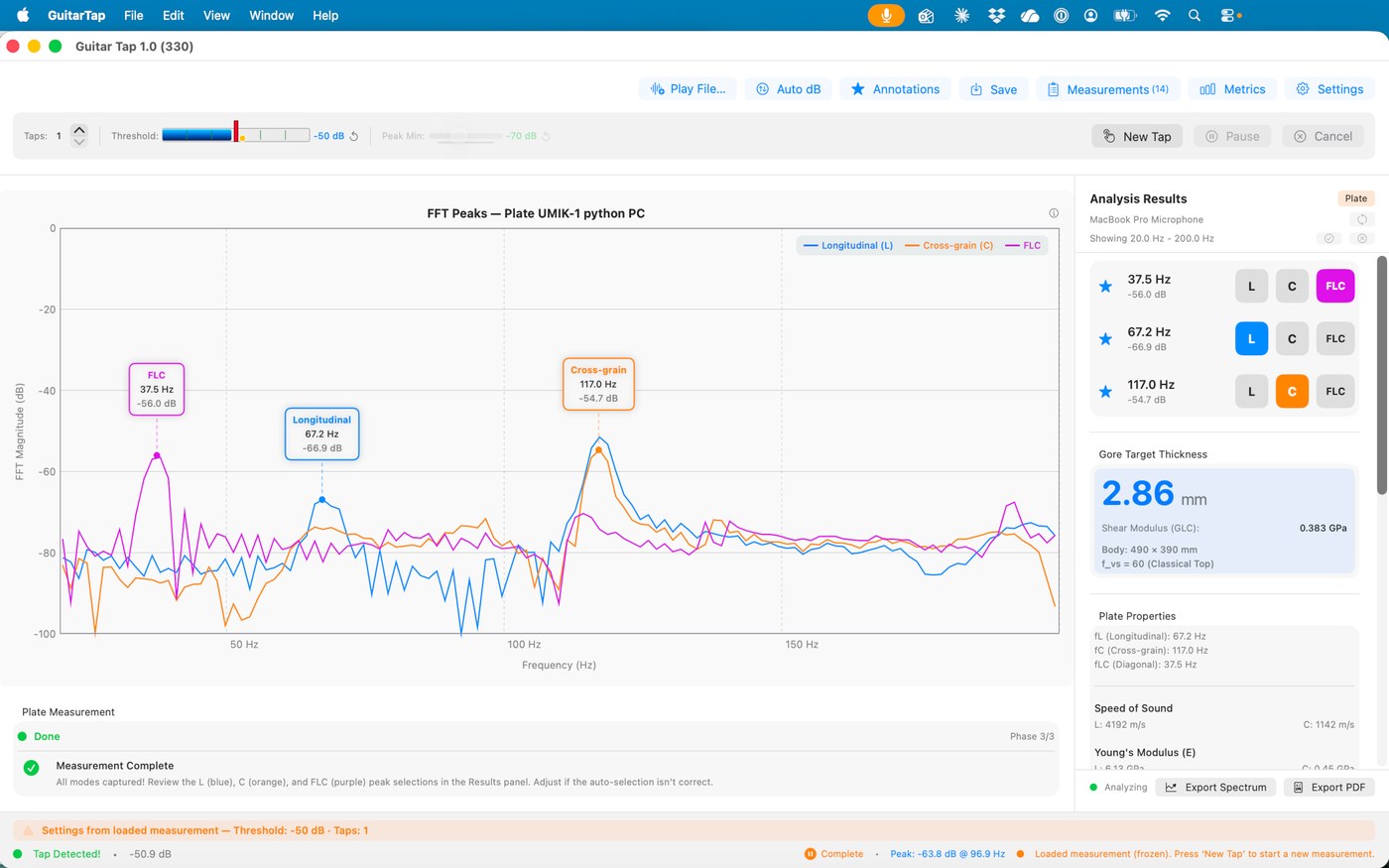
Measure a tonewood blank: Young's modulus along and across the grain, speed of sound, specific modulus, radiation ratio, a quality grade, and a Gore target thickness.
Brace mode
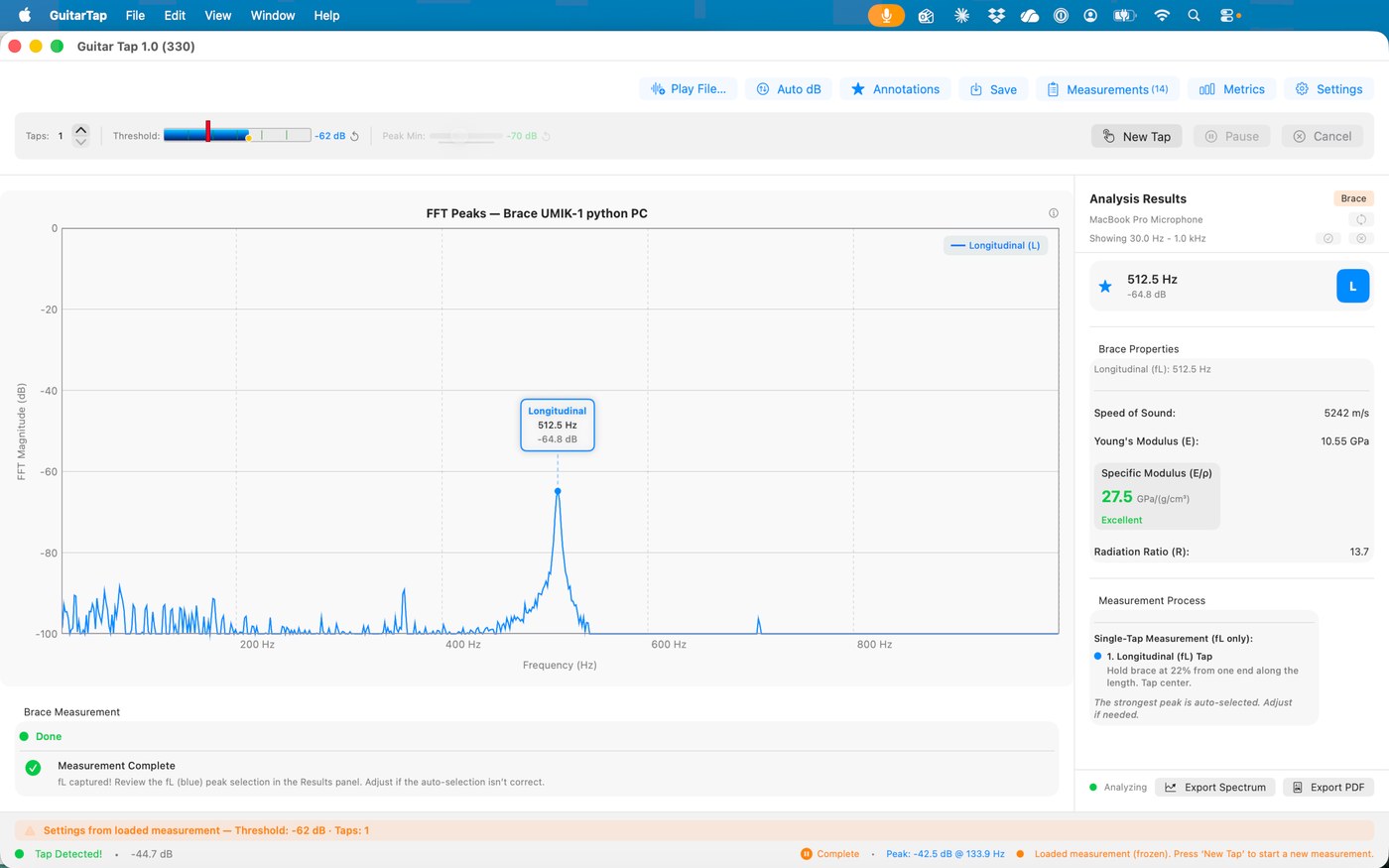
A fast single-tap measurement of a brace strip's stiffness, speed of sound, specific modulus, and quality.
See it in action
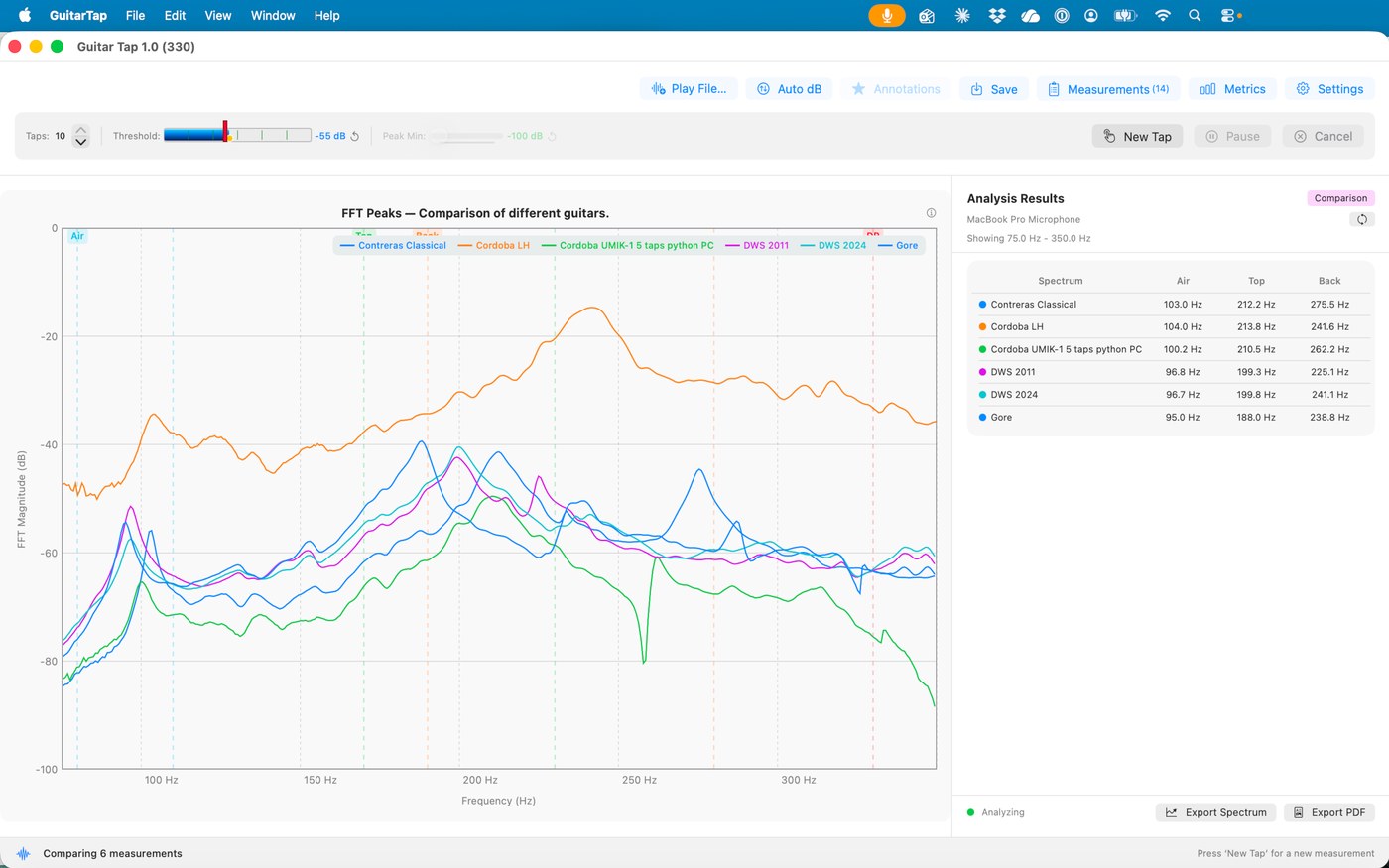
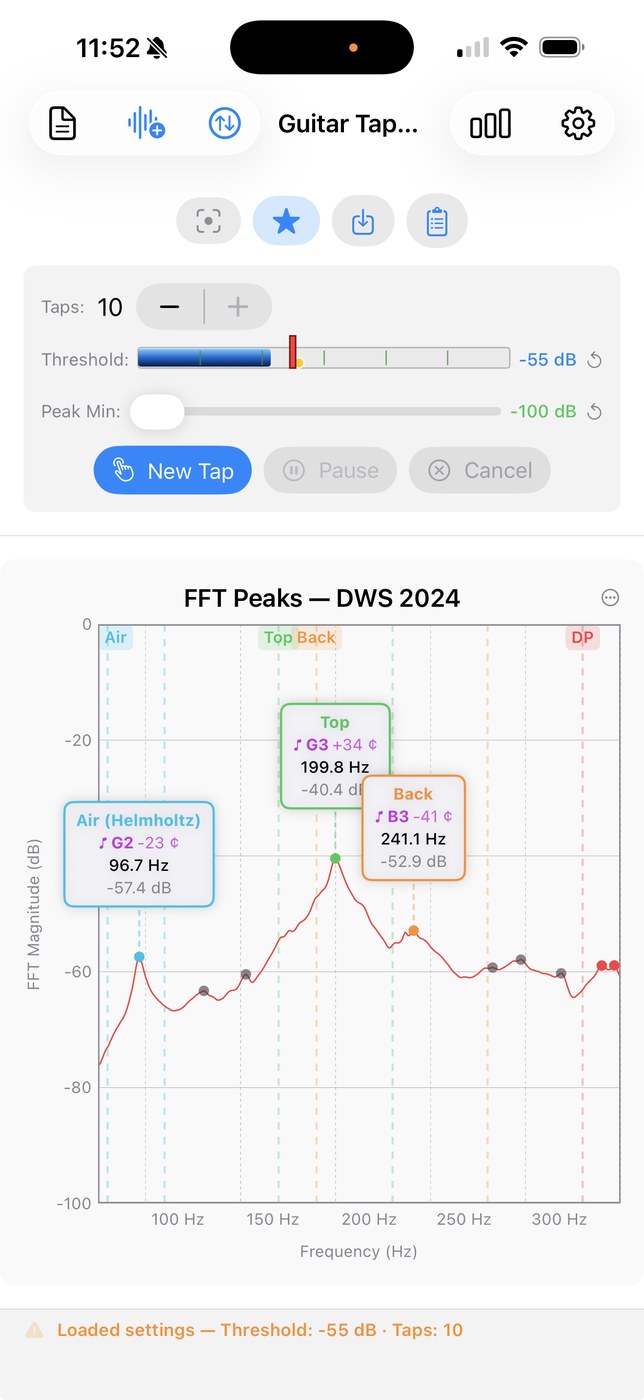
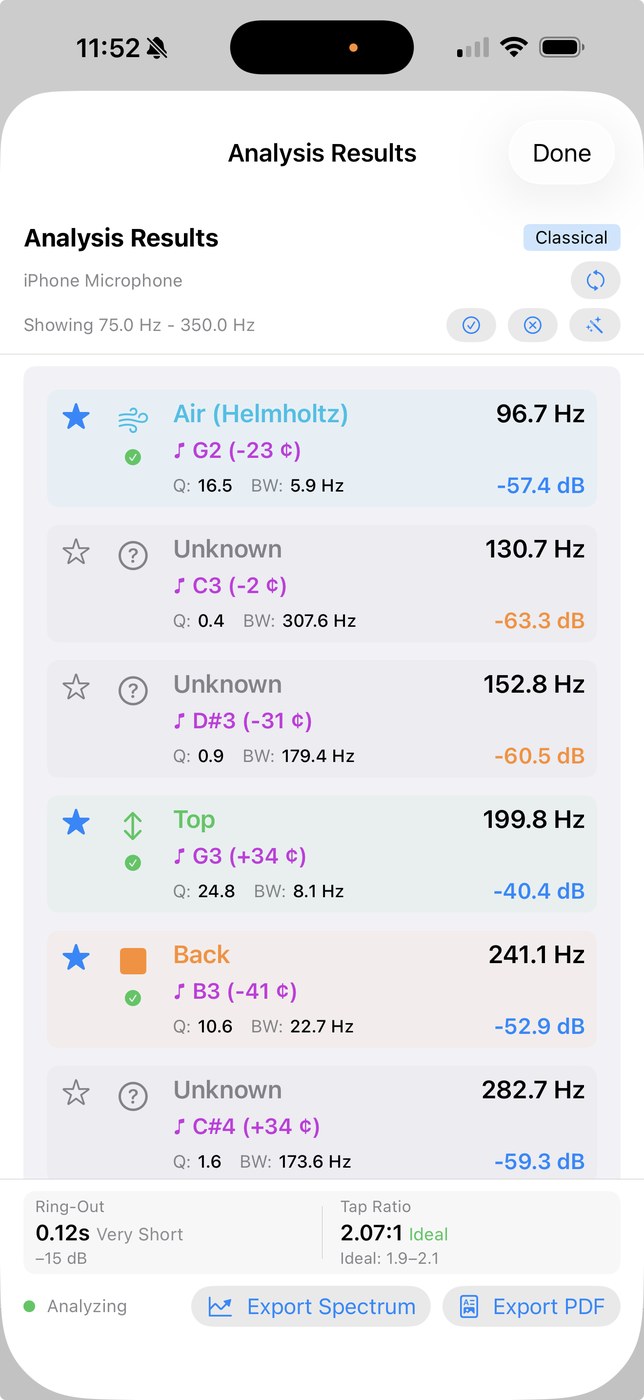
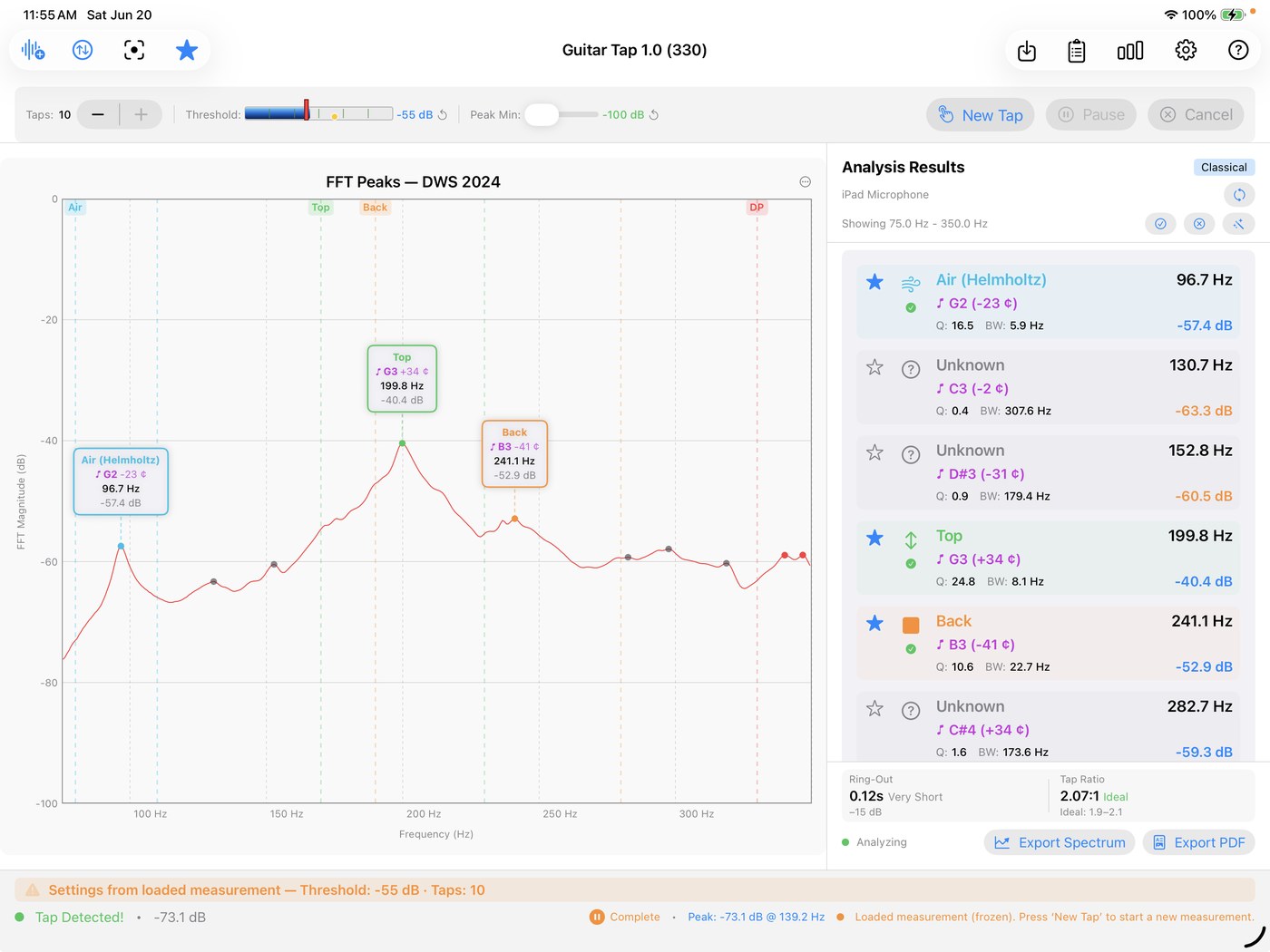
Screenshots from the browser app and the native Apple app — the desktop edition shares the same analysis engine and views.
Documentation & help
The User Manual covers every edition. The Quick-Start Guides differ by edition: the Apple app's is linked below; the desktop edition's is posted with each of its releases on GitHub. Every edition also has its Quick Start built in, under Help.
- 📖 User Manual — online (shared)
- 📄 User Manual — PDF (shared)
- ⚡ Quick-Start Guide — iPhone, iPad & Mac (PDF)
- 🆕 Release Notes — what's new, Apple and desktop editions
- 🎸 Example measurement — sample file, spectrum image & PDF report
- 💬 Support
- 🔒 Privacy Policy
Learn more
Guitar Tap implements the tap-tone methodology from Contemporary Acoustic Guitar Design and Build by Trevor Gore and Gerard Gilet. To go deeper on lutherie technique, see the Lutherie Academy.
Support open-source development
Guitar Tap is open source and built in spare time, and its desktop and web editions are free. If it helps your work, a small donation keeps it maintained and improving — thank you!
Donate via PayPal